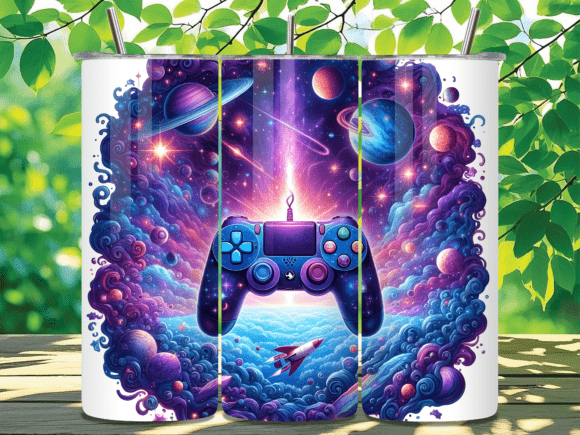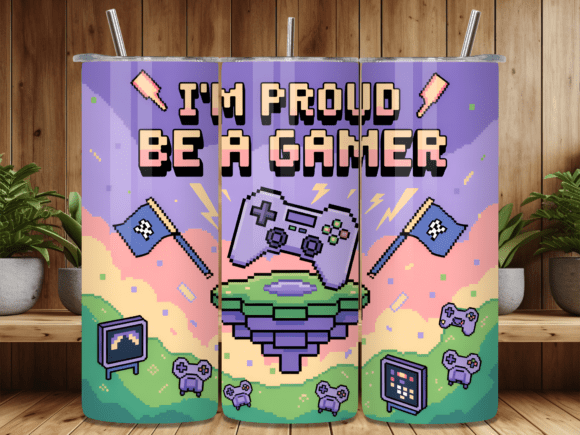
Gaming Pixel Art Tumbler Wrap Design PNG: What to Know Before You Buy and Sublimate
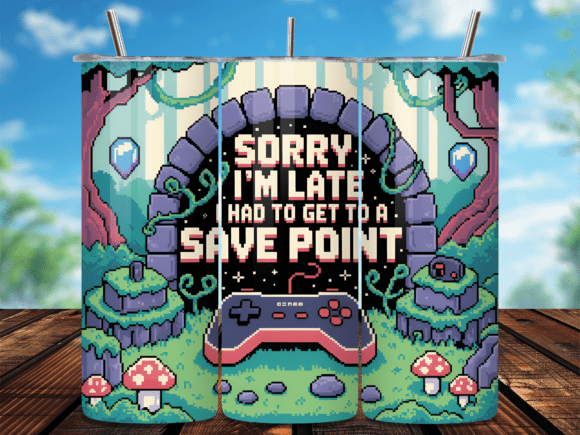
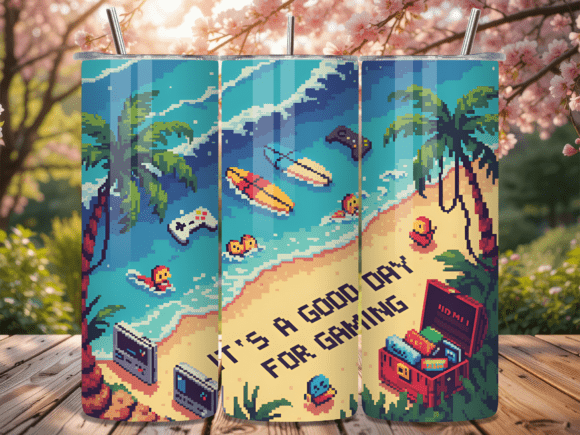
If you craft tumblers for a living or simply enjoy making personalized gifts, you have likely come across the Gaming Pixel Art Tumbler Wrap Design PNG. This design appeals to gamers, retro enthusiasts, and anyone who loves the crisp, blocky aesthetic of classic video games. But before you download or purchase a digital tumbler wrap PNG, there are a few things to consider — especially if you want a professional finish that lasts.
This article walks through what this design actually includes, the common pitfalls people encounter when using PNG wraps, and how to avoid those mistakes so your finished tumbler looks as sharp as the pixel art itself.
What Is a Gaming Pixel Art Tumbler Wrap Design PNG?
A Gaming Pixel Art Tumbler Wrap Design PNG is a digital file specifically sized for sublimation printing onto a 20 oz skinny tumbler. In this case, the design comes as two separate PNG files: one for straight tumblers and one for tapered tumblers. Each file is sized at 9.3 x 8.2 inches, with a resolution of 2790 x 2460 pixels at 300 dpi. That level of detail matters when you are printing pixel art, because any blur or softness would defeat the entire aesthetic.
The design is a digital download — you receive the files instantly, and there is no physical product shipped. The license allows you to use the design for personal projects or small business use, but only to create physical products. You cannot share, resell, or give away the digital file itself.
For anyone making sublimation tumblers, this kind of wrap offers a fun, niche design that stands out from generic floral or glitter patterns. But there are a few reasons it might not turn out well if you are not careful.
Common Mistake: Assuming All PNG Wraps Are Production-Ready
One of the most frequent misunderstandings is that any PNG file can be opened, printed, and pressed without adjustment. In reality, a PNG tumbler wrap design — especially one with pixel art — requires a few checks before you hit print.
The pixel art style depends on sharp edges and solid color blocks. If your printer or software accidentally resamples the image, those clean pixels can become fuzzy. This defeats the entire purpose of using a retro pixel design.
What to do instead: Before printing, open the file in your design software and check that the image is at 100% scale and 300 dpi. Do not allow the software to resize or interpolate the image. If your printer driver has a “smoothing” option, turn it off. Pixel art needs hard edges, not anti-aliasing.
Mistake: Ignoring the Difference Between Straight and Tapered Tumblers
The product includes two separate PNG files: one labeled Straight and one labeled Tapered. These are not interchangeable. A straight tumbler has the same diameter from top to bottom, while a tapered tumbler is wider at the top and narrower at the bottom. If you use the straight wrap on a tapered tumbler, the design will not align properly. Gaps or overlaps will appear, and the pixel pattern may distort or require stretching — which completely ruins the intended look.
What to do instead: Always verify which tumbler shape you are using before you open the file. Most 20 oz skinny tumblers are tapered, but not all. Measure the height and circumference of your actual tumbler if you are unsure. Compare those measurements to the 9.3 x 8.2 inch dimensions provided. A quick measurement can save you from wasting sublimation paper and blank tumblers.
Mistake: Overlooking Resolution and DPI for Sublimation
The file is delivered at 300 dpi and 2790 x 2460 pixels. That is a solid resolution for a 20 oz tumbler wrap. However, some users try to enlarge the design for larger tumblers or different mug sizes without understanding how resolution works. When you enlarge a PNG, the pixels per inch drop, and the image becomes softer or visibly pixelated in a bad way — not the intentional pixel art style, but blurry edges and lost detail.
What to do instead: Use the design exactly as sized. If you need a different size, look for a design that is already sized for your specific tumbler dimensions, or contact the seller to ask if they offer other sizes. Do not enlarge the file beyond its native resolution. For pixel art, resizing even a small amount can cause moiré patterns or uneven color transitions that look unprofessional.
Mistake: Not Testing Color Saturation and Alignment First
Sublimation relies on heat and pressure to transfer dye from paper to the tumbler coating. A PNG file might look vibrant on your screen, but after pressing, the colors can appear washed out or shifted — especially if you are using a lower-quality blank or if your heat press temperature is off. With pixel art, where each block of color is distinct and intentional, a color shift is immediately noticeable.
What to do instead: Print a small test section on sublimation paper and press it onto a scrap blank or test panel. Check that the colors match your expectation and that the pixel edges remain sharp. Adjust your printer profile or heat settings if needed. Many experienced crafters also use a color calibration profile for their specific printer and ink combination. This extra step is worth the time when the design relies on exact color placement.
Additionally, make sure your tape or adhesive does not misalign the paper during pressing. Pixel art shows even a 1 mm shift, so take extra care when wrapping the design around the tumbler. Use heat-resistant tape and check alignment from multiple angles before closing the press.
Mistake: Misunderstanding the License and Usage Rights
The product description clearly states: “No copies, resales, distributions, or giveaways are permitted in any kind in digital format. You can use it for personal or small business, ONLY to sell physical products.” This is a common source of confusion. Some buyers assume they can share the PNG with a friend or upload it to a print-on-demand service as a digital file. That is not allowed.
What to do instead: If you are a small business owner, you can use this design to create physical tumblers and sell those finished items. You cannot sell or give away the PNG file itself, nor can you include it in a bundle of digital designs. Respecting the license protects the creator and ensures you stay within legal boundaries. If you need a design with broader commercial rights, look for files labeled with a commercial-use license that permits digital distribution, though that is not common for individual wrap designs.
For hobbyists, this means you can make tumblers for friends and family or sell a few at a craft fair without worry. Just keep the digital file private.
Mistake: Choosing a Pixel Art Design Without Considering the Full Tumbler
The design is described as a full tumbler wrap, meaning it covers the entire surface. However, pixel art patterns often repeat or have a specific focal point. Some users do not check where the design starts and ends on the file. When wrapped around the tumbler, the seam where the two ends meet is visible. If the pattern does not align perfectly, the seam breaks the illusion of a continuous image.
What to do instead: Open the PNG in your software and look at the left and right edges. Some designers create seamless patterns, while others intend the ends to be trimmed or overlapped. If the edges are not designed to match, you may need to adjust your wrapping technique or trim the paper carefully so the pattern flows naturally. With pixel art, a misaligned seam is especially obvious because the blocky shapes do not blend gracefully. Consider testing a dry fit — place the printed paper around the tumbler without pressing — to see how the pattern meets before committing to heat.
Practical Tips for a Professional Finish
If you want your Gaming Pixel Art Tumbler Wrap Design PNG to look its best, here are a few straightforward steps that experienced crafters follow every time:
- Use a quality sublimation printer and paper. Not all printers handle fine pixel details well. Dye-sublimation printers with high color gamut produce richer blacks and more vibrant colors.
- Pre-press your tumbler. Heat the blank for 30–60 seconds before applying the design. This removes moisture and ensures the coating is ready to accept the ink.
- Let the tumbler cool completely before peeling the paper. This step prevents color lifting and ensures the ink has fully bonded with the polymer coating.
- Use a silicone mat or heat-resistant tape designed for curved surfaces. This minimizes shifting during the press cycle.
- Check your time and temperature. Most 20 oz tumblers need around 60–90 seconds at 400°F, but follow the blank manufacturer’s recommendations. Too much heat can cause color bleeding, while too little leads to faint images.
If you are new to sublimation, practice on a few inexpensive blanks first. Pixel art is unforgiving — every line and color block needs to be crisp. Once you dial in your process, these designs produce eye-catching results that appeal to gamers and retro fans alike.
What to Check Before You Buy
Before you purchase any tumbler wrap design, including the Gaming Pixel Art design, confirm a few details:
- The dimensions match your tumbler. 9.3 x 8.2 inches is standard for many 20 oz skinny tumblers, but not all. Measure your blank.
- The resolution is sufficient. 300 dpi is ideal. Avoid designs with lower resolution for pixel art, as soft edges ruin the style.
- The license fits your intended use. If you plan to sell physical products, this design works. If you need digital distribution rights, you need a different product.
- The file format is compatible with your workflow. PNG is universal and works in most sublimation and design software, but double-check that you can open and print it without extra conversion steps.
By taking these five minutes to verify the details, you save yourself from wasted materials and frustration.
Final Thoughts
The Gaming Pixel Art Tumbler Wrap Design PNG is a fun, niche option that stands out in a market full of generic patterns. But like any digital design, its success depends on how you use it. Avoid the common mistakes of misjudging tumbler shape, ignoring resolution limits, skipping test prints, and misunderstanding the license. With proper preparation and attention to detail, you can produce tumblers that look polished and professional, making the most of this retro-inspired design.
If you are looking for a design that connects with gamers and nostalgia lovers, this pixel art wrap is worth trying. Just remember: the file is only the starting point. Your technique, your equipment, and your care during the pressing process are what turn a digital PNG into a finished product someone will love to use every day.