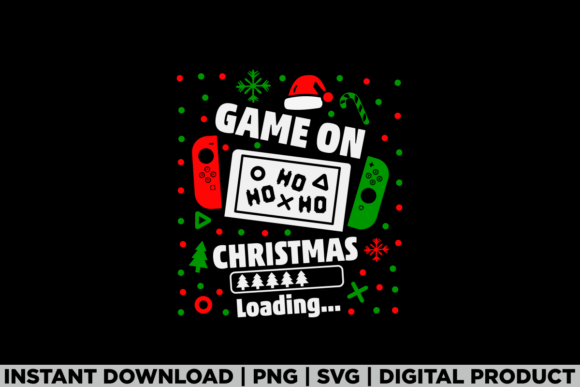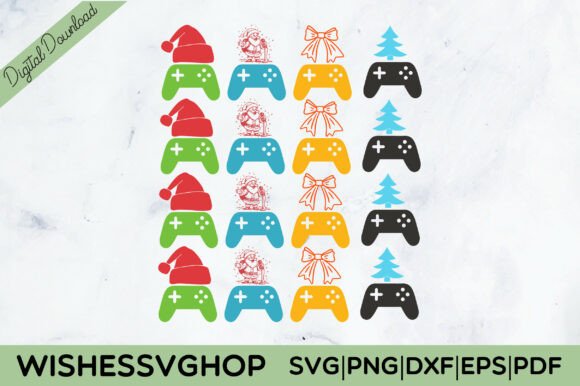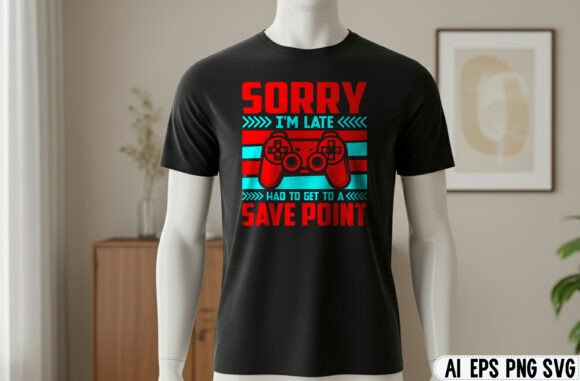
Merry Christmas PNG: How to Pull Off a Show-Stopping Xmas Gaming Tee Without the Headaches
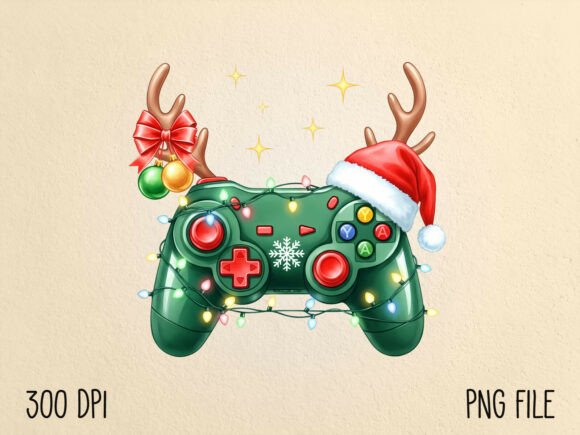
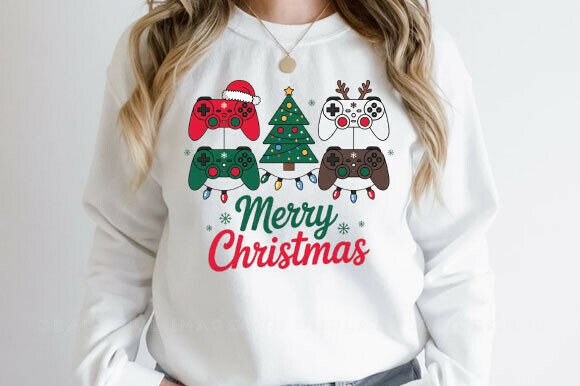
Picture this: you have a great idea. A Merry Christmas PNG featuring a sleek gaming controller wrapped in tinsel, maybe with a candy-cane joystick. You slap it on a hoodie, hit publish on your print-on-demand store, and wait for the orders to roll in. A week later, a customer posts a review photo and the design looks muddy, the colors are off, and the transparent background left a ghostly white halo around the artwork. Sound familiar?
That festive gamer controller PNG you loved on screen can turn into a nightmare if you don’t handle the details right. Whether you are a hobbyist making gifts for your gaming buddies or a small business owner trying to cash in on the holiday rush, the difference between a pro-quality Xmas Gaming Tee and a disappointing print often comes down to a handful of easily avoidable mistakes. Let’s walk through the pitfalls so you can level up your holiday designs the right way.
Why Everyone Is Reaching for a Merry Christmas Gamer Controller PNG
The Merry Christmas PNG market has exploded because people want personalized, niche designs. A standard snowman or reindeer doesn’t speak to the teen who lives in Fortnite or the dad who still plays Call of Duty after everyone goes to bed. A gaming controller Christmas PNG bridges that gap. It says, “I see you. I know what you love.” That emotional connection drives sales, makes gifts feel thoughtful, and helps your products stand out in a sea of generic holiday merch.
But that connection only works if the design actually prints well, fits the product, and looks intentional. Too many creators grab the first cute PNG they find, upload it to a mockup generator, and cross their fingers. That approach rarely ends well.
Mistake #1: Assuming Any PNG Will Work on Any Product
Just because a file is labeled “transparent background” doesn’t mean it is print-ready for every surface. A Merry Christmas PNG designed for a sublimation mug might have different density requirements than one meant for a direct-to-garment tee. The Merry Christmas Gamer Controller PNG you are looking at probably looks crisp on your laptop screen, but screens hide a lot of sins.
What actually goes wrong
- Low resolution: Many free or cheap PNGs are 72 DPI. That looks fine on a website, but when printed on a hoodie, those edges get fuzzy and pixelated. Your joystick ends up looking like a blob.
- Too many colors for the printing method: A vibrant controller design with gradients and shadows might work beautifully for sublimation, but on a standard DTG printer with limited color gamut, it can come out dull or blotchy.
- Wrong file setup for the platform: Some print-on-demand services want a layered PNG with a specific DPI and color profile (usually sRGB). Others prefer a flattened high-res JPG. Uploading the wrong type can auto-reject your listing or cause color shifts.
How to avoid this
Before you buy or download any Xmas Gaming Tee design, check the file specifications. Look for at least 300 DPI at the size you plan to print. If the PNG is 3000 x 3000 pixels, you are in a good spot. If it’s 800 x 800, it is a web graphic, not a print graphic. Also, open the file in a proper editor like Photoshop or GIMP and zoom in to 200% or 300%. If you see jagged edges or “stairstepping,” move on. That Merry Christmas PNG will not serve your customers well.
Mistake #2: Ignoring the Transparency Trap
A transparent background is supposed to be your best friend, and for most digital projects, it is. But when you are dealing with physical products, “transparent” doesn’t always mean “invisible.” Many creators have learned the hard way that cheap or poorly exported PNGs leave a semi-transparent white or gray halo around the artwork.
This is especially painful for a Merry Christmas Gamer Controller PNG because the controller shape usually has curved edges, gaps between buttons, and thin lines. A halo makes it look like you cut the design out with dull scissors. On a dark-colored shirt, that faint white edge becomes a glaring mistake.
What to check
- Open the PNG on a dark background. Most graphic programs let you change the canvas color. Set it to black or dark gray. If you see any light edge around the controller, the file has anti-aliasing artifacts. That will print as a halo.
- Look for flattened transparency in product previews. Some marketplaces like Redbubble or Printful generate a mockup automatically. If the preview looks weird around the edges, the file is likely the problem.
Better approach
If you love a Merry Christmas PNG but it has edge artifacts, you can sometimes fix it by re-saving the file with a hard matte. In Photoshop, choose File > Export > Save for Web and select PNG-24 with transparency. If the original source was flawed, though, the fix is limited. Your best bet is to buy from a seller who provides a clean, high-quality file and shows a close-up detail image of the edges. A good seller will be proud to show you the quality.
Mistake #3: Forgetting How the Design Will Sit on the Product
A Xmas Gaming Tee isn’t just a canvas. It has seams, collars, hems, and different fit zones. The standard mistake is to center a square-ish PNG on the chest without considering how it interacts with the neckline or underarm seams. A controller design that is too wide might wrap around the side seam, distorting the shape on a real person.
Realistic example
You find a beautiful Merry Christmas Gamer Controller PNG that includes a decorative wreath around the controller. On screen, it looks perfectly balanced. You print it at 12 inches wide on a unisex tee. When someone wears it, the wreath dips into the armpit area and the left joystick disappears under the fold of the fabric. The buyer is disappointed because the mockup showed a neat, centered design.
How to avoid this
Always use the print area template provided by your print provider. Upload your Merry Christmas PNG and adjust the sizing so the most important visual elements (controller body, button details, the “Merry Christmas” text if present) fall within the safe zone — usually the middle 8 to 10 inches of a standard tee. Use mockups that show the design on an actual human or a shirt form, not just a flat digital preview. If the design has a lot of horizontal spread, consider a version that is more compact or vertically oriented.
Mistake #4: Skipping Color Testing for Dark vs. Light Garments
Here is a detail that trips up even experienced creators. A Merry Christmas PNG that looks amazing on a white mug or a light gray hoodie can become nearly invisible on a black or dark green shirt. This is especially common with gaming-related designs because they often use dark colors, neon accents, or gradients that rely on contrast.
Your Merry Christmas Gamer Controller PNG might have a dark gray controller body with red and green buttons. That works fine on a white background. Print it on a black tee, and the controller body disappears, leaving only floating buttons and text. You lose the shape entirely.
What experienced creators do
- They create two versions: one for light garments and one for dark garments. The dark version will often have a white or light-colored outline or a “cut edge” effect that separates the controller from the fabric.
- They use a white underbase if the printing method allows it. Some DTG printers can lay down a white layer first, making dark colors pop on black fabric. But this adds cost, and the result depends on the printer’s quality.
- They preview the design on both light and dark mockups before publishing. If it looks flat on dark, they go back and adjust the artwork.
If you are selling through a print-on-demand platform that offers a single upload for multiple color variants, be aware that the same PNG will be used for all shirt colors. In that case, design for the worst-case scenario — usually the darkest color. A Merry Christmas PNG that works on a black tee will almost always look great on a white tee, but the reverse is not true.
Mistake #5: Overlooking Licensing for Commercial Use
This is the one that can cost you real money. You find an adorable Xmas Gaming Tee design from a small Etsy seller or a freebie site. It says “commercial use” somewhere in the description, but the terms might be limited. Some licenses allow you to use the PNG on physical products you make yourself, but they explicitly forbid print-on-demand services, digital downloads, or using the design on more than a certain number of items.
What happens when you ignore this
A customer buys your shirt, and the original designer recognizes their work. They file a takedown notice with the marketplace. Your listing is removed. Your store gets a strike. Repeat offenses and your account is terminated. You also lose any sales you made. It is not worth the risk.
How to stay safe
- Read the license file. If no license file is included with your Merry Christmas PNG, ask the seller before using it. A reputable seller will have clear terms.
- Look for extended commercial licenses if you plan to sell more than a few hundred units. Standard commercial licenses often cap production at 500 or 1000 items.
- Avoid “no attribution required” as a shortcut. That is not the same as “full commercial rights.”
- Prefer marketplaces that enforce licensing, such as Creative Market, Design Bundles, or The Hungry JPEG. They require sellers to define usage rights upfront.
Mistake #6: Neglecting the File Organization and Future Use
This sounds boring, but it matters more than you think. You buy a Merry Christmas Gamer Controller PNG, use it for one season, and then forget about it. Next year, you want to update the design — change the color of the buttons, add a “2025” text, or resize it for a new product. But you only saved the flattened PNG. You cannot edit it without starting over or buying the file again.
A better workflow
When you purchase a Merry Christmas PNG that comes as part of a bundle or set, always save the original ZIP file with the layered PSD, AI, or vector version if it is included. If the seller provides a vector format (SVG or EPS), that is even better because you can scale it infinitely without loss. Name your files clearly, like “gamer_controller_christmas_2024_print.psd” and export the PNG from that master file each time you need it. This one habit will save you hours of rework and frustration.
Putting It All Together: What to Do Before You Hit “Publish”
Here is a quick checklist to run through before you use any Merry Christmas PNG for an Xmas Gaming Tee or other product:
- Zoom in. Check for pixelation or jagged edges at 200% magnification.
- Test on dark background. Does the design have a halo or white fringing?
- Check DPI and size. Is it at least 300 DPI at the print size you need?
- Read the license. Does it cover your exact use case — print on demand, physical products, or digital projects?
- Preview on real mockups. Use a shirt, hoodie, and mug mockup. Does the design work across all of them?
- Prepare versions. Do you need a light-background version and a dark-background version?
- Save the master file. Keep an editable source file for future updates.
Final Thoughts: One Good PNG Is Worth a Dozen Bad Ones
The beauty of a Merry Christmas PNG with a gaming twist is that it taps into a passionate audience. Gamers are loyal, they love showing off their interests, and they appreciate when someone puts thought into a gift or piece of apparel. By avoiding the common mistakes around resolution, transparency, product fit, color contrast, licensing, and file management, you position yourself as a creator who delivers quality. Your customers notice that. They come back. They tell their friends.
Next time you browse for that perfect Merry Christmas Gamer Controller PNG, remember that what matters is not just how it looks on your screen, but how it looks on a real product in someone’s hands. Choose carefully, test thoroughly, and your holiday designs will stand out for all the right reasons.