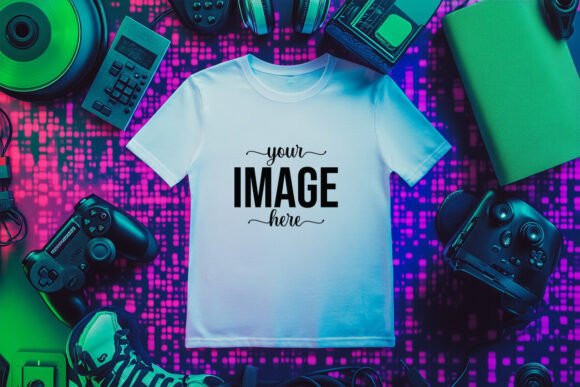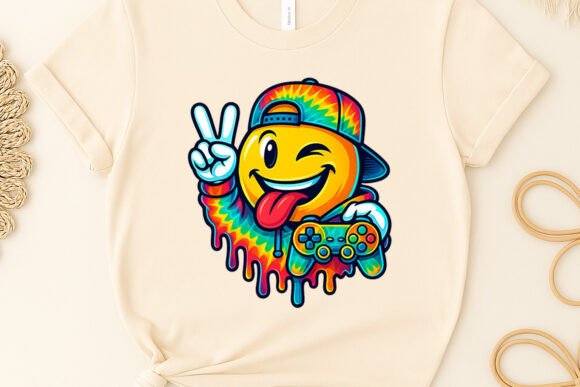
Gaming T-shirt Mockup Bundle: Practical Ways to Showcase Your Designs Without a Photoshoot
If you have ever tried to present a gaming T-shirt design to a client, an audience, or a print-on-demand store, you already know that the concept and the finished product can feel like two different worlds. A flat digital file rarely does justice to how the fabric will drape, how the colors will pop, or how the graphic will sit on a real human silhouette. That is where a Gaming T-shirt Mockup Bundle becomes more than just a file folder — it becomes the bridge between your idea and the viewer's imagination.
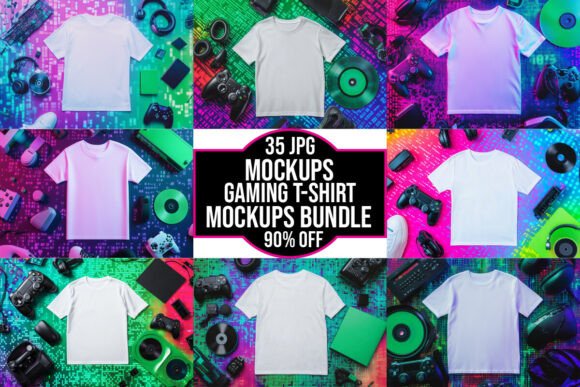
This particular bundle includes 35 JPG files at 300 DPI with high resolution and transparent backgrounds. The instant digital download arrives in a ZIP folder, and there is no physical product shipped. Whether you are a seasoned designer or someone just starting to explore the gaming apparel space, these mockups can save hours of setup time, eliminate the need for a photoshoot, and give your work a professional edge that resonates with buyers, collaborators, and followers.
Why a Gaming T-shirt Mockup Bundle Matters More Than You Think
Let's be honest — gaming culture is visual. From the thumbnails on streaming platforms to the merchandise tables at conventions, the way something looks determines whether someone stops to engage or scrolls past. A plain T-shirt mockup might work for a basic brand, but gaming designs come with their own energy. They carry pixel art, retro typography, esports logos, or intricate illustrations that need room to breathe. A generic mockup can flatten that energy. A dedicated gaming mockup bundle, on the other hand, understands the proportions, the placement, and the vibe that the gaming audience expects.
What makes this bundle particularly useful is the 300 DPI resolution. When you export a design at that quality, you preserve the sharpness of every line, gradient, and texture. If you have ever uploaded a mockup to a marketplace only to see it look blurry on a buyer's screen, you know how crucial resolution is. The transparent background also means you can overlay the mockup onto different backgrounds — a dark esports stage, a neon-lit room, or a minimalist storefront — without fighting white edges or leftover pixels.
Independent Game Developers and Studio Merch
Imagine you are an indie game developer preparing a Kickstarter campaign. You have built a world, written dialogue, and designed characters. Now you need stretch goals that include T-shirts. You cannot afford a professional photoshoot, and you do not have a budget for samples. With a Gaming T-shirt Mockup Bundle, you can take your character art or logo, drop it onto the mockup, and show backers exactly what they will receive. The high-resolution files let you zoom in on details without breaking the pixel integrity. Backers can see the shirt worn naturally, which builds trust and reduces hesitation.
Print-on-Demand Sellers Testing New Niches
Print-on-demand is a volume game, but quality still matters. If you run a store on platforms like Redbubble, Teespring, or Shopify, you are constantly testing new designs. Mockups allow you to iterate quickly. Instead of ordering a sample for every new gaming design — which adds up fast — you can create realistic product images in minutes. The 35 JPG files in this bundle give you variety. You can show the same design on different poses, angles, or folded presentations. This variety helps A/B test which presentation drives more clicks.
Streamers and Content Creators Building Merch Lines
Streamers often launch merchandise alongside emotes, channel memberships, and special events. The problem is that many streamers are not designers. They hire someone for the artwork, but they still need to present it in a way that feels authentic to their channel. A gaming mockup bundle lets them see how their logo or catchphrase looks on an actual shirt shape without needing to model it themselves. For the audience, seeing a worn mockup feels more real than a flat graphic. It signals that the merch is serious, not just an afterthought.
Esports Teams and Tournament Organizers
Esports teams often operate on tight turnaround times. A tournament might be announced two weeks before the event, and the team needs jerseys designed, approved, and produced quickly. Mockups become the approval stage. Coaches, players, and sponsors can see how the final shirt will look before committing to a production run. The transparent background is especially handy here because you can composite the mockup onto event banners, social media posts, or sponsor decks without extra editing work.
Freelance Designers Presenting to Clients
If you are a freelance graphic designer specializing in gaming brands, your portfolio is your strongest sales tool. But presenting flat PNGs next to competitors who show lifestyle mockups can make you look less polished. By using this bundle, you elevate your presentation. You can show a client three variations of the same design on different body types or angles. That visual professionalism often justifies higher rates and builds client confidence. The 300 DPI also means you can include the mockups in print-ready presentation decks without quality loss.
Who Benefits Most and How They Use It Differently
Different users will extract value from the bundle in distinct ways. A store owner might prioritize the variety of poses to cover multiple product listings. A game developer might care more about the high resolution to preserve fine pixel art. A streamer might look for mockups that feel casual and relatable rather than overly polished. The bundle accommodates all these needs because the files are clean, well-lit, and neutral enough to work with many art styles, yet gaming-specific enough to avoid looking generic.
The transparent background feature deserves special attention here. If you have ever tried to place a mockup on a dark gaming-themed website background, you know that a white rectangle around the shirt ruins the effect. With transparency, you can drop the mockup onto any background — dark mode interfaces, gradient banners, or even video thumbnails — and it blends naturally. This is a small detail that makes a big difference in real usage.
Common Considerations Before You Start Using the Bundle
Before you dive into editing, there are a few practical things to keep in mind. First, the files are JPG, not layered PSD files. That means you cannot move individual shirt layers or adjust lighting after the fact. The design is baked into the image. This is fine for most use cases, but if you need extensive customization — like changing the shirt color or adjusting the fold shadows — you may need to work with a different file format or use masking techniques. The bundle description does note that the seller offers help with file use or customizing, so that is a resource if you need it.
Second, the resolution at 300 DPI is excellent for digital display and even for small print proofs, but for large format printing or billboard use, you might need to upscale. For standard e-commerce images, social media posts, and presentation decks, it is more than sufficient.
Third, there is no physical product shipped. This is purely a digital download. That means you are paying for the convenience of time and realism, not for fabric or shipping. For someone who values speed and iteration, this is ideal. For someone who wants to feel the actual shirt material before committing, it will not replace physical samples. But in most scenarios, the mockup serves as the decision-making tool before the physical order is placed.
Strengths That Make This Bundle Stand Out
The bundle includes 35 files, which is enough variety to cover a product line without becoming overwhelming. You can use different angles for different products — front view for hero images, angled view for lifestyle shots, folded view for detail close-ups. This variety helps you create a cohesive store or portfolio where every product image follows the same visual language but does not look repetitive.
The instant digital download is another strength. When you have a deadline — a campaign launch, a tournament date, or a client presentation — waiting for a shipment is not an option. You download the ZIP folder, extract the files, and start working immediately. No shipping delays, no customs issues, no inventory management.
The note about help with file use is also reassuring. Not everyone is a Photoshop expert. If you struggle with placing your design exactly where it needs to be, or if you want a specific custom adjustment, the seller is open to assisting. That removes a barrier for less experienced users.
Potential Limitations to Keep in Mind
No product is perfect for every situation, and this bundle has a few limitations worth noting. Since the files are JPG, you do not get the flexibility of smart object layers that you would find in PSD mockups. If you want to swap designs repeatedly on the same mockup, you will need to manually overlay each new design. For small batches, this is fine. For mass production of hundreds of designs, it may be tedious.
Also, the mockups are pre-lit and pre-styled. You cannot adjust the lighting direction, the skin tone of the model, or the background environment without additional editing. If your brand requires a very specific aesthetic — neon cyberpunk, dark grunge, or minimalist white — you may need to composite the mockup into your own background using the transparent PNG feature. That is doable, but it requires some extra steps.
Finally, 35 files is a solid number, but some users might prefer a larger collection for enterprise-level stores or agencies handling multiple clients. If you are working with a high volume of gaming brands, you might eventually want to supplement this bundle with additional poses or formats.
Making the Most of Your Download
Once you have the ZIP folder on your computer, take a few minutes to preview all 35 files. Notice which angles work best for your design style. Some designs look better on a full-front pose, while others benefit from a slight turn. Group the mockups into categories — primary images, secondary images, detail shots — so you can quickly grab what you need for a project.
If you are using the mockups for an online store, consider consistency. Use the same mockup style across all your gaming T-shirt listings so that your storefront looks cohesive. Customers often browse multiple products, and if the presentation shifts dramatically from one shirt to the next, it can feel disjointed. A uniform mockup style builds brand recognition.
For social media, the transparent background is your best friend. Create graphics where the mockup sits on a bold colored background, a game screenshot, or a textured surface. This variety keeps your feed fresh while still maintaining a professional look.
Final Thoughts on the Gaming T-shirt Mockup Bundle
The Gaming T-shirt Mockup Bundle is not just a collection of files. It is a time-saving tool that lets you focus on what matters most — your design, your brand, and your audience. Whether you are launching a Kickstarter, scaling a print-on-demand store, presenting to a client, or building a streamer merch line, the ability to show a realistic, high-resolution product image without a photoshoot is invaluable. The 35 JPG files at 300 DPI with transparent backgrounds give you the flexibility to create professional visuals quickly. And if you ever hit a wall, the offer of help means you are not alone in the process.