Retro Gaming 20oz Tumbler Wrap: A Practical Guide to Sublimation Design and Workflow Integration
Blending vintage aesthetics with modern drinkware has become a staple in the sublimation community, and the Retro Gaming 20oz Tumbler Wrap offers a purposeful entry point for creators who value both nostalgia and precision. This design file, delivered as a high-resolution PNG, is tailored for 20oz skinny tumblers but adapts readily to other substrates when resized appropriately. Understanding how this asset fits into a broader sublimation workflow—from pre-production planning to final quality checks—can turn a simple wrap into a repeatable, profitable, or personally satisfying project.
What the Retro Gaming 20oz Tumbler Wrap Actually Delivers
At its core, this listing provides two PNG files: one optimized for straight-walled 20oz tumblers and another for tapered versions. Each measures 9.3 inches by 8.2 inches at 300 DPI with a transparent background. The transparent background is not a trivial detail—it means the wrap can be layered over colored substrates or combined with other design elements without hard white borders. This gives you freedom to customize backgrounds, add text overlays, or pair the retro gaming motif with complementary graphics before printing.
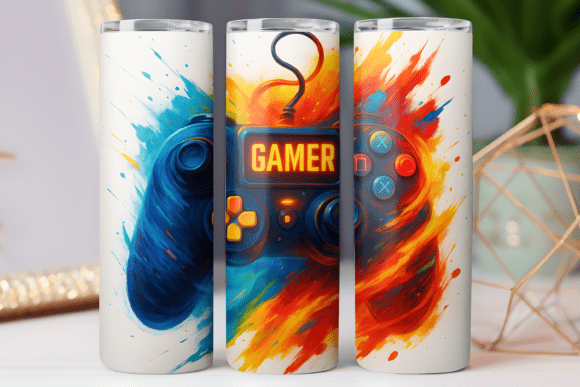
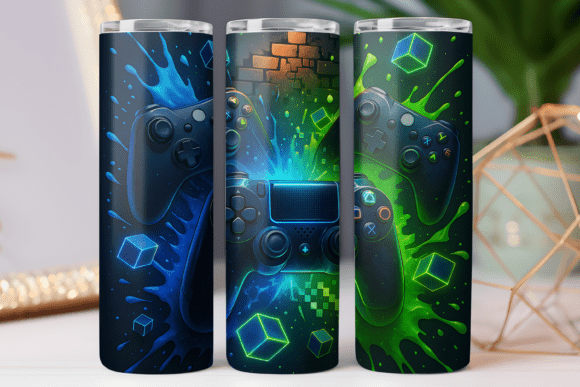
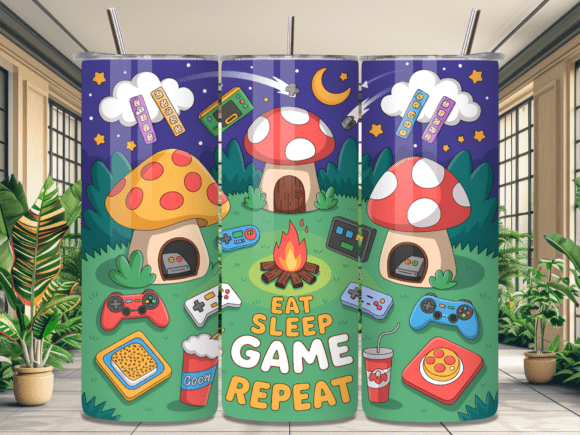
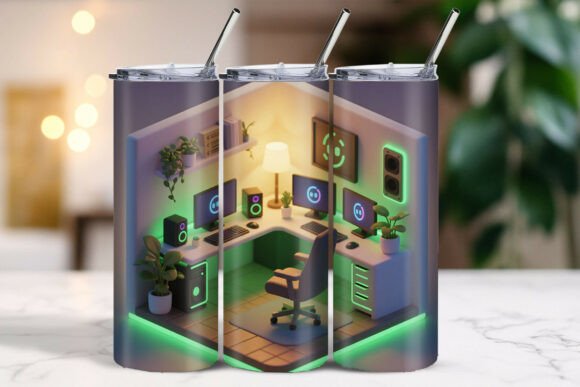
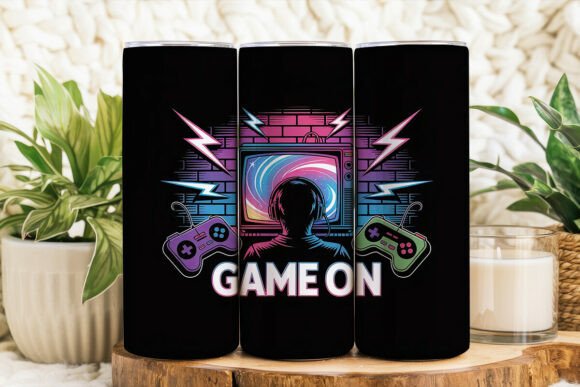
The design itself draws on classic gaming iconography: pixel-inspired patterns, retro color palettes, and arcade-era motifs. But the real value lies in its structure as a printable asset. Because it comes as a PNG rather than a layered editable file, you work with a finished raster image. That shifts your workflow focus toward proper sizing, color management, and substrate selection rather than composition. For creators who prefer a ready-to-print design without spending hours arranging elements, this wrap streamlines the production side of sublimation.
One nuance worth noting: the file is delivered as a printable download only. There is no physical product, no template software, and no instruction manual beyond the basics of sublimation knowledge. This means the wrap assumes you already have a sublimation printer, appropriate paper, heat press equipment, and experience with the process. If you are new to sublimation, this design will serve you better after you have established a repeatable printing workflow.
Where This Wrap Fits in a Sublimation Workflow
Sublimation projects typically move through several phases: concept and asset selection, print preparation, printing, pressing, and finishing. The Retro Gaming 20oz Tumbler Wrap sits squarely in the asset selection phase, but its influence extends both backward and forward in the process.
Before the Project: Planning and Asset Evaluation
When you evaluate a design like this wrap before beginning a batch of tumblers, you are essentially deciding whether it aligns with your audience, your equipment capabilities, and your production schedule. The retro gaming theme appeals strongly to adults aged 25 to 50 who grew up with arcade cabinets, early consoles, and pixel art. If you sell at markets, run an Etsy shop, or produce gifts for friends who share that nostalgia, this wrap fits naturally into your product lineup.
From a technical standpoint, the 300 DPI resolution at 9.3 by 8.2 inches gives you enough detail to print crisp on a 20oz tumbler. However, the transparent background means you need to decide what color tumbler blank to use. Light-colored or white blanks will show the design most vibrantly, while dark blanks may require a white base layer or a different approach entirely. This decision happens before you even open the file in your design software.
During Production: Printing and Pressing Workflow
Once you have chosen your blank and confirmed the sizing, the wrap moves into the print preparation stage. Because the file is a PNG, you will likely import it into a design application like CorelDRAW, Adobe Photoshop, or Affinity Designer. Check that your canvas matches the dimensions of your tumbler wrap paper. If you are using a straight tumbler, use the straight version; if tapered, use the tapered version. This step eliminates guesswork later.
Color accuracy is one of the most common pain points in sublimation. The listing notes that colors may vary from screen to screen, and the seller has done their best to represent the design accurately. To bridge the gap between what you see on your monitor and what prints on your tumbler, calibrate your monitor and use a printer profile specific to your sublimation paper and ink combination. Print a small test on scrap paper first, especially if you plan to produce multiple tumblers. Adjust saturation or brightness in your design software if the test looks off.
During the pressing phase, the wrap's transparent background becomes an advantage. Because there is no white border to manage, you can align the design precisely on the tumbler without worrying about ghosting or misalignment around edges. Use heat-resistant tape to hold the paper in place, and follow the time and temperature guidelines for your specific blank material. Polyester-coated tumblers typically require 380 to 400 degrees Fahrenheit for 60 to 90 seconds, but always verify with your blank supplier.
After the Project: Quality Control and Iteration
After pressing and peeling, inspect the finished tumbler for color accuracy, sharpness, and positioning. The retro gaming style often uses bold, saturated colors, so check that reds, blues, and yellows transferred cleanly. If you notice fading or banding, revisit your printer settings or press time. If the design is slightly off-center, adjust your alignment technique for the next run.
This wrap also lends itself well to small-batch iteration. Because you have the PNG file, you can resize it to fit other products—such as coffee mugs, ceramic tiles, or even fabric items—and test the same design across different substrates. Document what works for each substrate type. Over time, you build a reference library that speeds up future projects.
Interacting with Other Tools, Resources, and Decisions
A single design file never operates in isolation. The Retro Gaming 20oz Tumbler Wrap interacts with your sublimation printer, your heat press, your blank selection, and your design software. But it also interacts with less tangible factors: your brand identity, your customer expectations, and your production schedule.
If you run a small business, consider how this wrap fits alongside other designs in your catalog. Does it complement a series of retro-themed products? Can it be bundled with matching coasters or mouse pads? The transparent background makes it easy to place the same motif on different product shapes without redesigning from scratch. That interoperability saves time and reinforces a cohesive product line.
For hobbyists and personal use, the wrap might interact with a gift-giving workflow. You could produce a set of tumblers for a game night host, each with a slightly different retro pattern, or create a single tumbler as a birthday present for a friend who loves classic arcade games. The ability to resize the PNG means you are not locked into tumblers alone. If you have a flat panel, a phone case, or a jigsaw puzzle blank, you can adapt the design to fit.
From a workflow perspective, file organization matters. Store your PNG files in a clearly named folder alongside your sublimation templates, printer profiles, and blank supplier notes. When you revisit the design months later, you will know exactly which version is for straight tumblers and which is for tapered. This prevents accidental misprints and wasted materials.
Preparation and Setup
- Verify dimensions before printing. Measure your tumbler blank physically. Even within the 20oz skinny category, slight variations exist between manufacturers. Compare the wrap's 9.3 x 8.2 inches against your blank's printable area. If the blank is shorter or narrower, resize the PNG proportionally.
- Use mirrored output for sublimation. Most sublimation workflows require mirroring the design before printing. Since this is a PNG, mirror it in your print settings or in your design software. Test on paper first to confirm text and orientation are correct.
- Match the file version to the tumbler shape. Using the straight version on a tapered tumbler will cause distortion at the top or bottom. The seller provides both files for a reason—use the correct one.
Color Management and Consistency
- Create a color proof. Before printing your final run, print a small section on sublimation paper and press it onto a test blank or a piece of polyester fabric. Compare the result to your screen. Adjust your printer's color settings or your file's saturation if needed.
- Account for substrate color. White or light-colored tumblers will reproduce the design as intended. For cream, gray, or pastel blanks, expect some color shift. Transparent backgrounds allow the blank color to show through, so factor that into your aesthetic decisions.
- Document your press settings. Write down the time, temperature, and pressure that gave you the best result with this wrap on your specific blanks. Store that note with the PNG file for future reference.
Usability and Resizing for Other Projects
The listing explicitly states that the image can be resized for other projects. This opens up possibilities beyond tumblers. For example, you could reduce the dimensions to fit a standard 11-ounce coffee mug, enlarge it for a large ceramic platter, or scale it down for a set of coasters. When resizing, maintain the aspect ratio to avoid distorting the pixel art style. Also, keep the resolution above 200 DPI for the final print size to avoid visible pixelation.
If you plan to use the wrap on a tapered tumbler that is not exactly 20oz, measure the circumference and height of your blank, then scale the PNG to match. The 300 DPI source gives you headroom for small adjustments, but extreme resizing may degrade quality. Test a single print before committing to a batch.
Integrating the Wrap into Business and Creative Routines
For small business owners and Etsy sellers, the Retro Gaming 20oz Tumbler Wrap can become a recurring product in your lineup. Once you have dialed in your print settings and blank preferences, producing a batch of ten tumblers becomes a repeatable process. You can even offer slight variations—different background colors, added text, or custom names—by layering new elements over the transparent PNG. This creates product differentiation without requiring a new design from scratch.
Freelancers and creators who offer custom sublimation services can use this wrap as a starting point for client consultations. Show the retro gaming motif as an option, then discuss modifications. Because the PNG is not editable in the sense of separating layers, you would need to create overlays in Photoshop or similar software. But the clean transparent background makes compositing straightforward.
For educators and workshop facilitators, this wrap serves as a practical example for teaching sublimation workflow. You can walk students through the entire process—file inspection, color management, mirroring, pressing, and evaluation—using a single design. The retro theme often engages adult learners who appreciate the cultural reference, making the technical lesson more memorable.
Hobbyists and productivity-minded users might integrate the wrap into a gift-making routine. Instead of buying generic presents, you produce personalized drinkware that reflects the recipient's interests. The one-time download gives you unlimited prints, so you can make multiples for holiday gifts, party favors, or personal use without additional cost per design.
Long-Term Considerations and Quality Assurance
Over time, sublimation files degrade only in the sense that your printer profiles, ink formulations, or blank suppliers may change. Store the original PNG in a lossless format and avoid repeated resaving as JPEG, which introduces compression artifacts. Keep a backup on an external drive or cloud storage.
If you produce the same tumbler wrap repeatedly, periodically check your print quality. Ink nozzles clog, paper batches vary, and heat press calibration drifts. Running a test print every few months ensures consistency. Also, revisit the design's alignment with current trends. Retro gaming has enduring appeal, but color preferences and stylistic nuances shift. The wrap's pixel-art aesthetic is fairly timeless, but you might update accompanying elements—like adding a modern font or a minimalist border—to keep it fresh.
Finally, understand the limitations of the file. Because it is a PNG, you cannot edit individual elements within the design. If you want to change the color of a specific pixel block or replace a symbol, you would need to recreate those elements yourself or find a vector alternative. For most production workflows, this is not a problem. You treat the PNG as a finished graphic and focus your effort on printing and pressing. That division of labor—design completion on the seller side, production execution on your side—is efficient when both parties deliver quality.
The Retro Gaming 20oz Tumbler Wrap is ultimately a practical asset for anyone who values workflow clarity. It eliminates the design phase, provides format-specific files, and gives you room to adapt the motif across multiple substrates. By integrating it thoughtfully into your preparation, production, and quality control routines, you turn a simple download into a repeatable, satisfying outcome—whether for profit, gift-giving, or personal enjoyment.